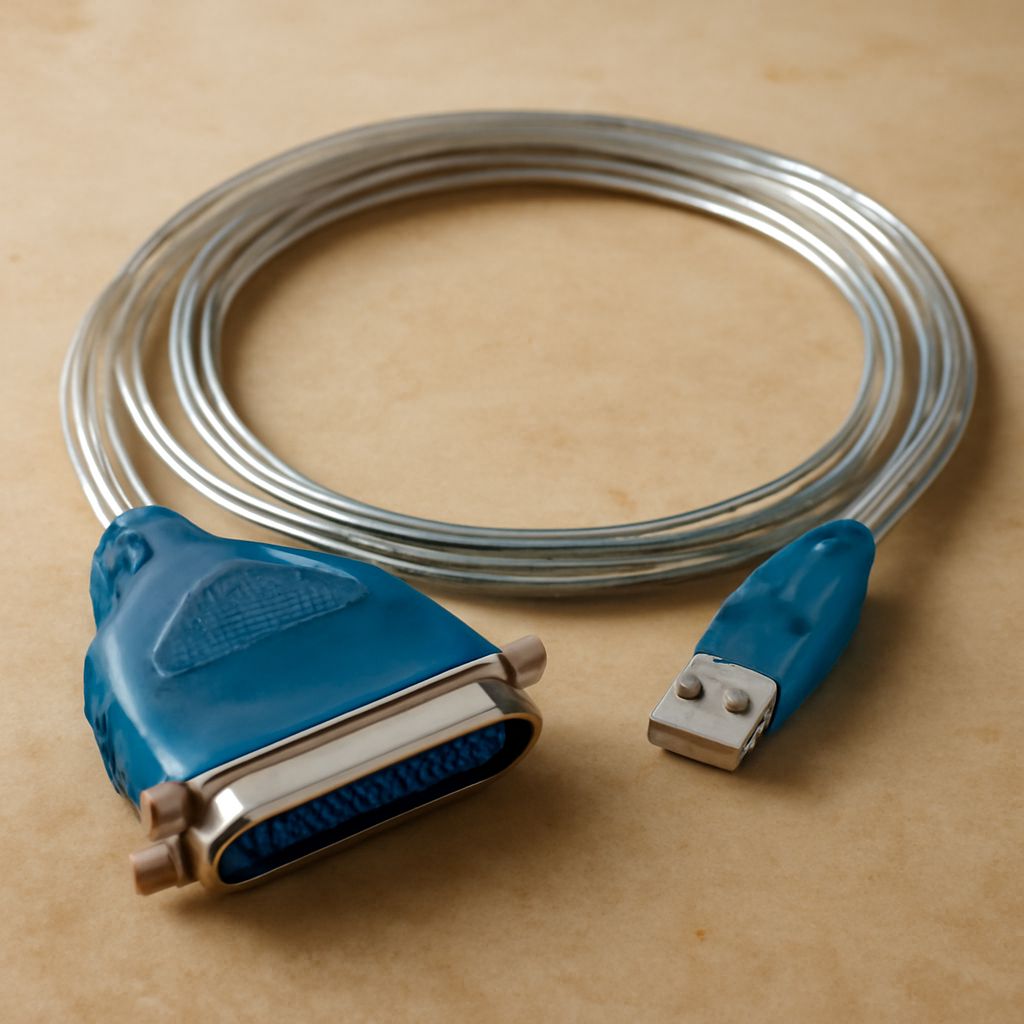
Parallel Printer Cable, Printer Pooling, CISS, and Legacy Connections
You’ve inherited an older printer that uses a parallel port connector — a wide, rectangular DB-25 plug — and you’re trying to figure out whether it’s worth connecting it to a modern PC that doesn’t have a parallel port. Or maybe you’re setting up print management for a small office and wondering about printer pooling. Somewhere in your research, a continuous ink supply system (CISS) came up, and now you also have a tangle of search results about a serial printer cable and an mmcx bluetooth cable that seem unrelated.
This guide untangles all of these: what a parallel printer cable actually is, how printer pooling works, what a ciss printer does for ink costs, the role of a serial printer cable in legacy setups, and how an mmcx bluetooth cable fits into wireless audio rather than printing.
Parallel Printer Cable: Legacy Connection Standard
What It Is A parallel printer cable connects older printers to computers using the IEEE 1284 parallel interface — a 25-pin DB-25 male connector on the computer side and a 36-pin Centronics connector on the printer side. This interface was standard on desktop PCs and printers from the 1980s through the early 2000s before USB replaced it. Parallel communication sends multiple data bits simultaneously across multiple wires, which was faster than serial interfaces of the same era but has since been superseded entirely by USB and network connections.
Using Parallel Printers Today Modern PCs lack parallel ports, but USB-to-parallel adapters exist and often work with older laser and inkjet printers that have no USB option. Compatibility varies — some printers work immediately, others require specific drivers or older OS support. If the printer works, using a parallel to USB adapter is cheaper than replacing the machine. For printers connected to networks, print server boxes with parallel port inputs can also bridge legacy hardware to modern WiFi or ethernet network printing.
Printer Pooling: How It Works
Printer pooling is a Windows print management feature that groups two or more identical printers under a single print queue. When a print job is sent to the pooled queue, it routes automatically to whichever physical printer in the pool is currently idle. This increases throughput in high-volume environments — instead of one printer creating a backlog, multiple machines share the workload transparently. Setting up printer pooling requires all printers in the pool to use the same driver; they should be identical or very similar models. In Windows, pooling is configured through the Ports tab in printer properties by enabling “Enable printer pooling” and selecting multiple ports.
CISS Printer: Continuous Ink Supply System
A ciss printer uses a continuous ink supply system — external ink tanks plumbed to the printhead via silicone tubing rather than standard cartridges. The tanks hold much larger volumes of ink (typically 100–200ml per color vs. 5–15ml in a standard cartridge), and refilling costs a fraction of cartridge replacement. CISS setups are popular for high-volume inkjet users: photographers printing large quantities, small businesses printing labels and documents, and anyone who finds cartridge replacement costs prohibitive. Epson’s EcoTank line is the mainstream factory-CISS option; third-party CISS kits are available for many non-EcoTank Epson, Canon, and HP models but require careful installation and can void warranties.
Serial Printer Cable and MMCX Bluetooth Cable
A serial printer cable uses a DB-9 or DB-25 serial RS-232 interface — even older than parallel, used for early dot-matrix printers, label printers, and industrial receipt printers. Many industrial and point-of-sale label printers still use serial interfaces because serial connections are extremely reliable over long cable runs and in electrically noisy environments. Modern computers need a USB-to-serial adapter to connect to these devices.
An mmcx bluetooth cable is an entirely different category — it refers to a cable that replaces the standard attached cable on certain wired headphones or IEMs (in-ear monitors) to allow Bluetooth operation. MMCX is a micro coaxial connector standard used for detachable headphone cables. An mmcx bluetooth cable adds a small Bluetooth receiver module with battery inline with the cable, converting a wired headphone to wireless. This appears alongside printer cable searches because both contain the word “cable” and appear in the same category of legacy or specialty connectivity accessories.
Bottom Line
Parallel and serial printer cables serve legacy hardware that still functions but lacks modern connectivity — USB adapters bridge most of these devices to current computers. Printer pooling is a simple Windows feature worth enabling in any multi-printer office environment. CISS printers dramatically cut ink costs for high-volume inkjet use. MMCX Bluetooth cables are unrelated to printing and belong to the headphone accessory category.