Captive Portal WiFi Guide: Connecting Through WiFi Portals on Land and Sea
You connect to the hotel Wi-Fi, see the bars go full, and still can’t load anything. This is a captive portal wifi situation — the network is live but requires a login page before granting internet access. Understanding how wifi captive portal systems work saves you the frustration of troubleshooting what looks like a connection problem but is actually an authentication step. A wifi portal appears in your browser when you try to access any website, presenting a login screen, a terms acceptance page, or a payment form. Marine wifi setups on boats and vessels present the same challenge but add the complexity of a marine wifi extender that connects to a marina’s network from the dock, sometimes requiring authentication through a captive portal before allowing traffic through.
Here is how captive portal authentication works, why it sometimes fails, and how to handle it reliably across different network environments.
How Captive Portals Work
The Authentication Flow
When you connect to a captive portal network, the router intercepts your DNS and HTTP requests and redirects them to a login page hosted locally on the router. Your device sees a valid Wi-Fi connection but all traffic goes to the portal page until you complete the required action — entering a room number, accepting terms, or paying for access. After successful authentication, the router adds your device’s MAC address to a list of allowed clients and stops redirecting your traffic.
Why Captive Portals Sometimes Fail to Appear
iOS and Android both send test HTTP requests when connecting to a new network to detect captive portals automatically. If this test request is blocked, the portal notification won’t appear on your device. To manually trigger the portal, open your browser and navigate to any plain HTTP (not HTTPS) page — try http://example.com or http://neverssl.com specifically designed for this purpose. These sites don’t redirect to HTTPS, making them reliable for portal triggering.
Marine WiFi Extenders and Captive Portals
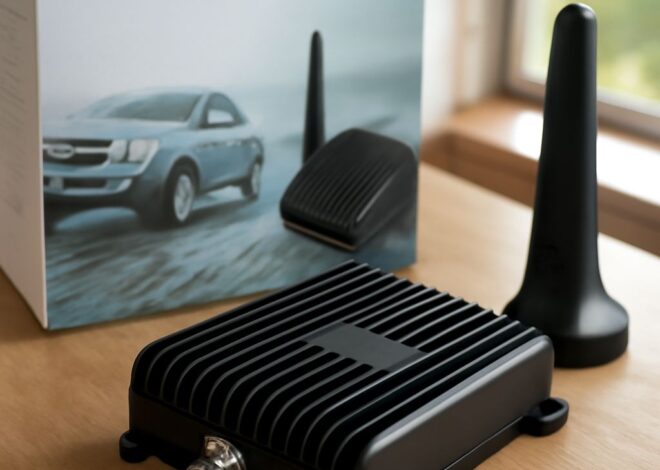
A marine wifi extender connects your boat to a marina’s shore-based Wi-Fi network from a distance, bringing the signal aboard. Popular systems like Vesper WatchMate and Glomex include router functionality that creates a local network aboard the boat and handles the captive portal authentication on behalf of connected devices. Without this passthrough capability, each device aboard needs to individually complete the marina’s captive portal login, which breaks when devices reconnect after sleep. A quality marine wifi extender handles the portal once and shares the authenticated connection across the vessel.
Troubleshooting Captive Portal Problems
Common captive portal failure scenarios and fixes:
- Portal page won’t load: Try navigating to http://neverssl.com in your browser — HTTPS sites may block portal redirects
- Login accepted but no internet: Disconnect and reconnect to the Wi-Fi network to refresh the MAC address authorization
- Portal session expires too quickly: Keep a browser tab open with the portal site or check for a session renewal link
- VPN blocking the portal: Disable your VPN before connecting to a captive portal network, then re-enable after authentication
Security Considerations on Captive Portal Networks
Public captive portal networks — hotel Wi-Fi, airport Wi-Fi, marina Wi-Fi — are shared environments where other users may attempt to intercept traffic. Use a VPN after completing portal authentication to encrypt your traffic on these networks. Avoid logging into sensitive accounts on captive portal networks without a VPN active. A marine wifi extender that creates a private local network aboard your boat provides better isolation than connecting devices directly to the marina network.
Key takeaways: If a captive portal page doesn’t appear automatically, try navigating to http://neverssl.com to trigger it manually. A marine WiFi extender handles portal authentication once for all aboard devices. Always use a VPN after connecting through a captive portal on public networks.