Ribbon Printer Explained: Printer Ribbons, Line Printers, and Blue Print Diagnosis
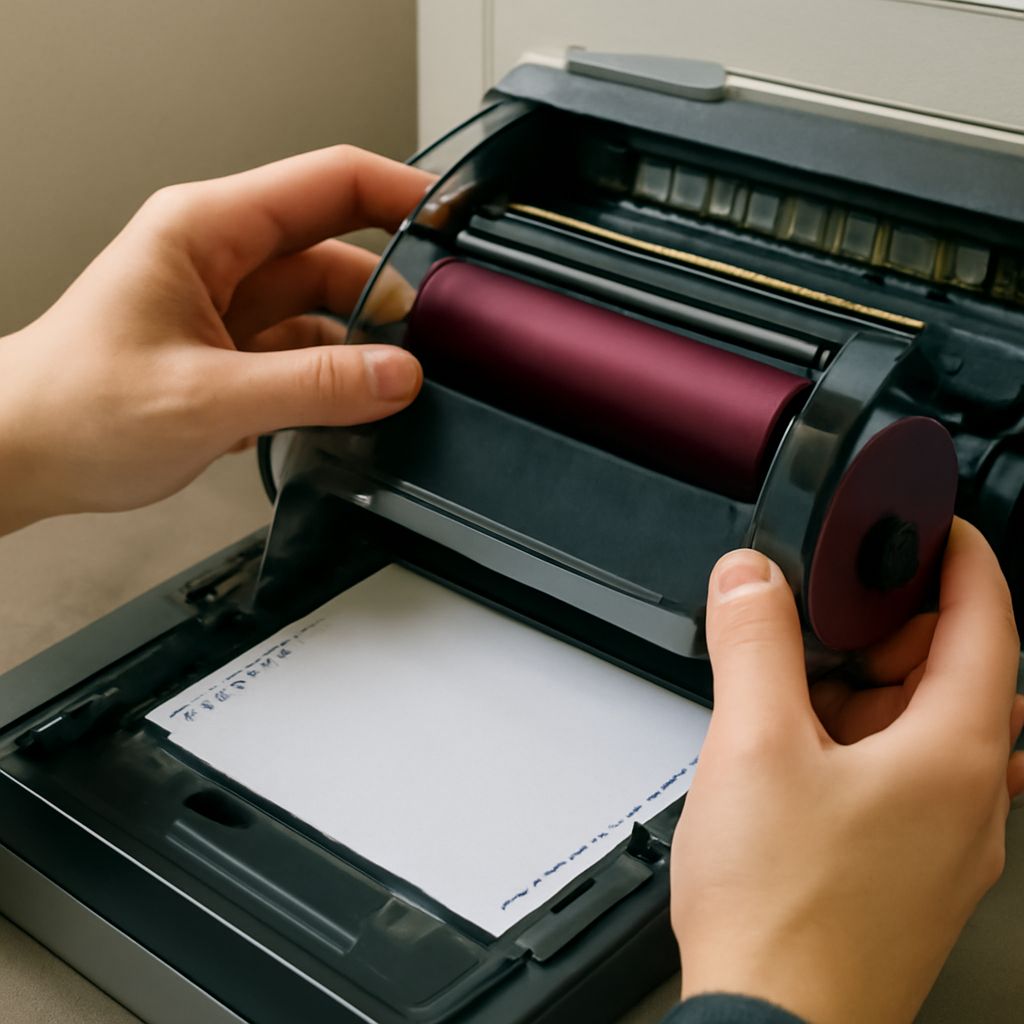
You’ve inherited an older office printer and noticed the consumable it uses is a ribbon cartridge rather than an ink tank or toner. A ribbon printer uses an ink-impregnated fabric or film ribbon pressed against paper by a print head, depositing ink through impact or heat transfer. This technology predates inkjet and laser printing and remains in active use across several industries due to its cost per page advantages and durability.
On the troubleshooting side, if you pull a page from your inkjet or laser printer and everything appears in a single bright blue hue, you have a printer only printing blue problem caused by a missing or failed color component. A standard printer ribbon for a ribbon printer comes in black, multicolor, and specialty formats. The legacy line printer used ribbon mechanisms for high-speed continuous output in data centers. And a blue printer — whether a cyanotype-style reproduction machine or a malfunctioning inkjet — has specific characteristics worth understanding before assuming hardware failure.
What Is a Ribbon Printer and How Does It Work
Thermal Transfer vs. Impact Ribbon Printers Two ribbon-based printing mechanisms dominate today. In impact ribbon printing — used by dot matrix printers — a bank of pins strikes an inked fabric ribbon against paper, physically embedding ink into the sheet. This produces paper copies that resist water, are extremely durable, and can print through multi-part carbon or NCR forms simultaneously. Thermal transfer ribbon printing works differently: a heated print head melts wax or resin ink off a film ribbon onto a label substrate. Thermal transfer label printers produce barcode labels, product tags, and wristbands with exceptional durability because the ink is fused onto the surface rather than sprayed or transferred under pressure.
Ribbon Cartridge Types and Compatibility
Ribbon cartridges for impact and thermal transfer printers are not interchangeable between printer brands or models. Dot matrix printer ribbon cartridges are model-specific, containing a continuous loop of ink-soaked nylon fabric sized for that printer’s carriage width. Thermal transfer ribbon rolls are specified by width (mm), length (meters), and formulation — wax, wax-resin, or full resin — matching the label material being printed. Always verify both the part number and ribbon type before ordering replacements, as installing a resin ribbon intended for polyester labels on a paper label stock may produce poor adhesion or cause print head damage.
Printer Ribbon Guide: Types, Colors, and Replacement Tips
Standard black printer ribbons for dot matrix machines contain nylon fabric soaked in oil-based black ink. Multicolor printer ribbons — used in POS receipt printers and some label systems — carry a four-panel arrangement of black, cyan, magenta, and yellow ink sections that the printer cycles through for color output. When a ribbon runs dry, printed characters become progressively lighter until output becomes illegible; replace the ink ribbon cartridge at the first sign of fading to avoid missed dots and illegible output. Re-inked aftermarket ribbon cartridges offer cost savings over OEM consumables but may produce slightly uneven ink density compared to factory-fresh products.
Line Printer: High-Speed Output for Industrial Use
Line printers — so named because they print an entire line of text simultaneously rather than character by character — were the dominant output technology for mainframe computing through the 1980s and 1990s. Most line printers used a revolving band or drum of raised characters that hammered against a ribbon and paper at speeds of 600 to 2,000 lines per minute. Modern equivalents exist in the form of high-speed continuous-feed laser printers used by banks, insurance companies, and utilities to produce statement mailings in volumes that exceed the capacity of conventional office lasers. Legacy line printers in manufacturing environments still print multi-part work orders, receiving documents, and shipping manifests on continuous-feed paper through impact mechanisms that require printer ribbon stock.
Why Is My Printer Only Printing Blue?
Diagnosing Ink and Toner Color Issues When an inkjet printer produces output in cyan (blue) only, the likely causes are an empty or clogged magenta or yellow cartridge, a failed color nozzle array, or a corrupted color profile in the printer driver. Print a nozzle check page from the printer’s maintenance menu — if magenta and yellow are absent or broken, those cartridges need replacing or cleaning. A laser printer printing only in blue (cyan) indicates either a depleted magenta or yellow toner cartridge, a failed transfer belt, or a drum unit misalignment that prevents those colors from transferring to paper correctly.
Step-by-Step Fix for Blue-Only Print Output
Start by checking all ink or toner levels in your printer’s status software — most printer utilities display individual cartridge fill levels on the main dashboard. If levels show sufficient ink, run a deep cleaning cycle targeting the magenta and yellow nozzles. For laser printers, remove and reseat all toner cartridges and drum units, ensuring each clicks firmly into its slot. If cleaning and reseating don’t resolve the single-color output, replace the cartridge that corresponds to the missing color — magenta and yellow combined produce red; without them, only cyan (blue) prints.
Blue Printer Technology and Specialized Applications
The term “blue printer” originally referred to cyanotype reprography, which produced architectural and engineering drawings as white lines on a blue background — the origin of the term “blueprint.” Modern cyanotype printing is a fine-art and hobbyist photographic process using light-sensitive iron compounds on fabric or paper. In a contemporary context, blue-tinted output from standard office printers almost always indicates a consumable issue rather than a design choice. Specialty printers used in textile and ceramics decoration do produce blue-dominant outputs intentionally, using cobalt-based ceramic inks fired at high temperature for permanent color that survives dishwashing and outdoor exposure.
Key takeaways: A ribbon printer relies on physical ink transfer through impact or heat and remains relevant for label printing, industrial forms, and POS receipts. When your printer outputs only blue, check individual ink or toner levels and run a nozzle or color test before assuming hardware failure. Replace only the missing color cartridge rather than a full set to resolve blue-only print issues cost-effectively.