ABS 3D Printer: How to Print ABS Successfully Every Time
You need a part that survives heat, holds threads without stripping, or takes impact without cracking. PLA breaks under those conditions, which is why you are looking at an abs 3d printer setup instead. ABS (acrylonitrile butadiene styrene) is the same plastic used in LEGO bricks and automotive trim panels. It is harder, more heat-resistant, and more impact-tolerant than PLA, but it also requires a more controlled printing environment or your parts will warp, delaminate, and crack before they leave the build plate.
Not every 3d printer abs workflow works equally well. A printer optimized for PLA can sometimes print ABS with modifications, but the best abs 3d printer setups have specific features that make the process reliable rather than hit-or-miss. If you are shopping for an abs plastic 3d printer or trying to get better results from the machine you already own, this guide explains exactly what matters. Finding the best 3d printer for abs requires understanding why ABS behaves differently from other filaments and which hardware features compensate for those differences.
Why ABS Is Harder to Print Than PLA
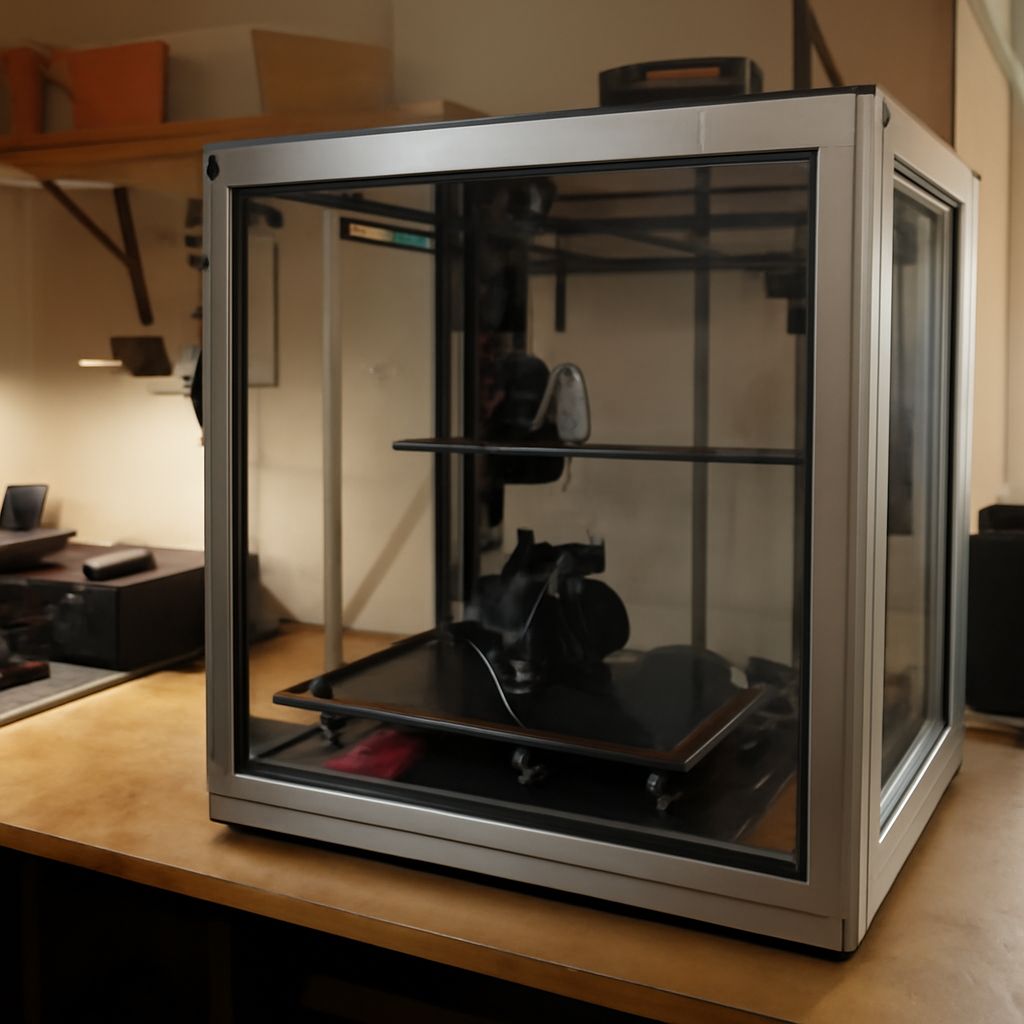
Thermal Contraction and Warping ABS shrinks significantly as it cools, far more than PLA. In an open-frame printer, the outer edges of a large ABS print cool faster than the center. That temperature differential creates internal stress that pulls the corners up off the build plate, a problem called warping. Even smaller prints can crack along layer lines if the ambient temperature drops. This is why the best ABS 3D printers use enclosed build chambers that maintain an elevated ambient temperature of 40 to 60 degrees Celsius throughout the print. Enclosures prevent rapid cooling and dramatically reduce warping.
Fumes and Ventilation
ABS filament releases styrene vapors when heated. These vapors have a detectable plastic smell and can cause irritation with prolonged exposure. Print ABS in a well-ventilated area or use an enclosed printer with a HEPA and activated carbon filtration system. Some machines designed specifically for ABS and engineering plastics include built-in filtration. If yours does not, place it in a room with an exhaust fan or use a carbon filter enclosure kit. This is not optional safety theater: styrene is a known irritant and should not be inhaled regularly during multi-hour prints.
What to Look for in a 3D Printer for ABS
Heated Bed and Enclosure A heated build plate is mandatory for ABS printing. The bed needs to reach at least 100 degrees Celsius and maintain that temperature for the duration of the print, which can be 4 to 12 hours for larger parts. ABS adheres best to PEI-coated spring steel sheets and glass with a light coat of ABS slurry (ABS dissolved in acetone). An enclosure, either factory-built or added with an aftermarket kit, is the single biggest reliability improvement for ABS printing. Without it, even a draft from an HVAC vent can cause delamination on tall prints.
All-Metal Hotend
ABS prints at 220 to 250 degrees Celsius. PTFE-lined hotends (common on budget machines) are rated to around 240 degrees and begin to off-gas potentially harmful compounds above that temperature. An all-metal hotend handles ABS temperatures safely and consistently. It also enables printing higher-temperature engineering filaments (ASA, PA, PC) if your projects grow in complexity.
Best ABS 3D Printer Options
The Bambu Lab X1 Carbon is the top pick for printing ABS reliably. Its fully enclosed chamber maintains a stable print environment, it has an all-metal hotend rated to 300 degrees Celsius, and its multi-axis vibration compensation produces consistent layer adhesion on ABS at speeds up to 500 mm/s. The Creality K1 Max with an aftermarket enclosure is a solid budget option. The Stratasys F123 series is the industrial-grade choice for ABS parts that require ASTM-certified mechanical properties, but at a price point ($20,000+) that suits production environments rather than home shops. For most users, a well-enclosed machine like the Bambu X1C or the Prusa MK4 with an enclosure kit at $500 to $1,200 represents the best abs plastic 3d printer value.
ABS Print Settings That Actually Matter
Print temperature: 230 to 245 degrees Celsius depending on brand and color. Bed temperature: 100 to 110 degrees Celsius. Layer height: 0.2 mm for standard strength; 0.15 mm for better surface finish. Print speed: 40 to 60 mm/s on open-frame machines; up to 200 mm/s in enclosed setups with vibration compensation. Cooling: minimize part cooling fan use on ABS; most ABS profiles run the fan at 0 to 20 percent. High cooling creates layer delamination by cooling layers too quickly before the next layer bonds.
Safety Recap
Always print ABS in a ventilated area or with a filtered enclosure to minimize styrene exposure. Wear a glove when removing hot parts from the build plate; ABS parts hold heat longer than PLA. Store open ABS spools in airtight containers with desiccant to prevent moisture absorption, which causes bubbles, popping sounds, and surface defects during printing.