Direct to Garment Printer: Everything You Need to Know Before You Buy
Direct to Garment Printer: Everything You Need to Know Before You Buy
You have a shirt design ready, a customer waiting, and a screen printing shop quoting you $200 for a minimum order of 24 pieces. A direct to garment printer changes that equation entirely: one shirt, full color, ready in under ten minutes. Whether you are running a print-on-demand shop or sampling designs before a big run, a DTG machine lets you print directly onto cotton fabric with no screens, no film, and no setup fees per color.
Choosing a garment printer is not as simple as picking the cheapest one on the shelf. Ink systems, maintenance schedules, and compatible fabric types vary widely between manufacturers. If you are looking at a direct garment printer for the first time, or comparing a dtg tshirt printer you already own to newer models, this guide covers what actually matters. We will also help you figure out the best direct to garment printer for your specific volume and budget.
What Is a Direct to Garment Printer?
How DTG Printing Differs from Screen Printing
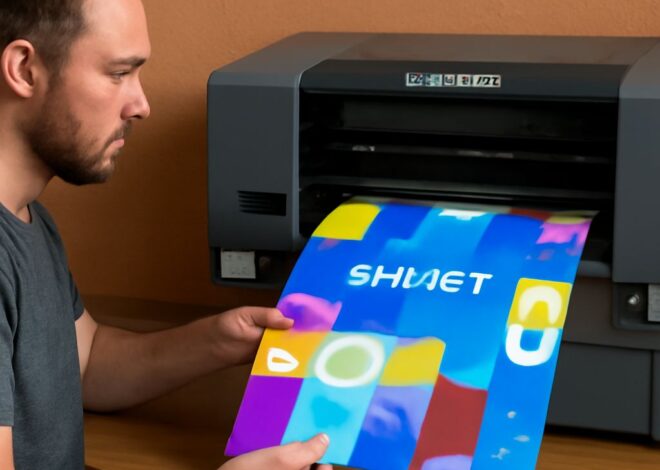
Screen printing applies ink through a mesh screen, one color layer at a time. Setting up a screen for each color takes time and money, which is why it only makes economic sense at scale. Printing garments directly with a DTG machine works like a standard inkjet: a print head moves across the fabric and deposits water-based ink in a single pass. You load the design, pretreat the shirt, and print. There are no screens to burn, no registration marks to align, and no minimum quantity.
Fabric Types That Work Best
DTG ink bonds best with 100% cotton or high-cotton blends. Polyester fibers repel water-based inks, so prints on synthetic fabrics tend to fade faster and look less crisp. Some newer machines handle 50/50 blends reasonably well with specialized inks and longer curing times. Dark garments require a white ink underbase, which adds one extra pass and increases ink costs.
Key Features to Look for in a Garment Printer
Print Resolution and Color Accuracy
Resolution is measured in DPI. Most commercial-grade units print at 1200 x 1200 DPI, which is sharp enough for photographic detail. Consumer-grade models often top out at 600 DPI, which works for bold graphics but shows banding on gradients. Color accuracy depends on the ICC profile the machine uses and whether it supports CMYK plus white ink in a single workflow.
Ink System and Maintenance Requirements
DTG inks clog print heads if the machine sits idle. Nearly every manufacturer recommends running a cleaning cycle daily, even on days you do not print. Some machines automate this; others require manual intervention. Before buying, research how often users report head clogs and what the replacement cost for a print head is — on some models, a single head runs $300 or more.
Top DTG Tshirt Printer Options Compared
The Brother GTX Pro handles production volumes up to 100 shirts per day and supports 16 x 21-inch print areas. The Epson SureColor F2270 offers an improved ink circulation system that reduces clogging on infrequently used machines — a real advantage if you print in batches rather than continuously. Entry-level options from Prestige and Anajet target hobbyists and small shops printing fewer than 20 shirts per day. Comparing a dtg-focused unit against its peers always comes down to: How often will you print? Daily production favors Brother or Epson. Occasional custom printing favors a lower-cost entry model.
Cost Breakdown: Running a Direct Garment Printer
Ink and Pretreatment Costs
Ink cost per shirt varies from $1.50 to $5.00 depending on design size, color count, and whether you need a white underbase. Pretreatment solution costs roughly $0.25–$0.75 per dark shirt. Factor in the cost of a heat press — you need one to cure the ink — which adds $500–$2,000 to your startup investment.
ROI for Small Shops
At a retail price of $20–$35 per custom shirt and a cost of goods around $8–$12 (including blank shirt, ink, pretreatment, and labor), a shop printing 10 shirts per day can cover the machine cost within 6–12 months. Shops printing fewer than 5 shirts per day will take longer to recoup the investment and may be better served by a print-on-demand fulfillment partner until volume grows.
Setup and Workflow Tips
Pretreat every dark shirt evenly — uneven pretreatment shows up as blotchy prints. Use a pretreatment machine rather than a hand sprayer if you print more than 20 dark shirts per day. Set your design file to 300 DPI at print size before sending to the RIP software. Most garment-printing RIP programs (Cadlink, Wasatch) handle color management automatically, but double-check that your white ink underbase setting is on for any dark garment job.
Next Steps
Request a print sample from any manufacturer you are considering — most will print your design on request. Compare that sample against your quality standards before committing. Set up a daily maintenance routine from day one, even if that means running a nozzle check every morning before your first print. Consistent maintenance is the single biggest factor in keeping your machine running reliably for years.