5GHz WiFi Antenna: Indoor Boosters, Parabolic Antennas, and TV Antenna Connections
5GHz WiFi Antenna: Indoor Boosters, Parabolic Antennas, and TV Antenna Connections
Your 5GHz WiFi isn’t reaching the far end of your home, your laptop WiFi signal is weak even close to the router, or you’re trying to understand how different antenna types affect range and performance. A 5ghz wifi antenna upgrade or addition can meaningfully extend coverage in specific situations, though understanding when an antenna actually helps versus when the problem lies elsewhere saves you from a wasted purchase.
Whether you’re looking for an indoor wifi antenna to improve a desktop or laptop’s reception, researching a wifi parabolic antenna for directional long-range applications, considering a laptop wifi antenna booster, or asking about connecting an older TV antenna to a wifi router for internet distribution, the answers differ significantly by use case.
5GHz WiFi Antenna Basics: What Different Types Do
Antenna design determines how radio frequency energy is focused or distributed. Three fundamental antenna types appear in WiFi applications:
Omnidirectional antennas: The standard stick antennas on most consumer routers. They radiate signal in a roughly donut-shaped pattern around the antenna’s vertical axis. Good for covering a single floor in all directions from a central location. Gain ratings of 3-5 dBi are typical for stock router antennas. Aftermarket omnidirectional antennas with 7-9 dBi gain extend this coverage further, though the pattern becomes more flattened, which can actually reduce coverage on floors above and below the router.
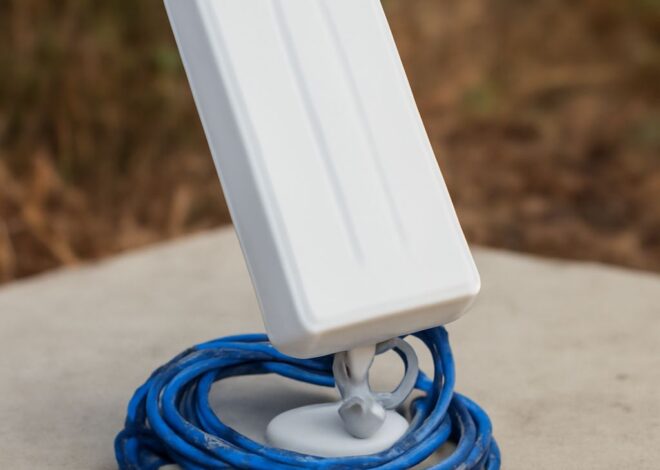
Directional panel antennas: Concentrate gain into a specific forward arc (typically 60-90 degrees wide). Useful when you need to push signal toward a specific area rather than in all directions. A 5ghz wifi antenna panel pointed down a long hallway or toward a detached garage concentrates the available signal where it’s needed.
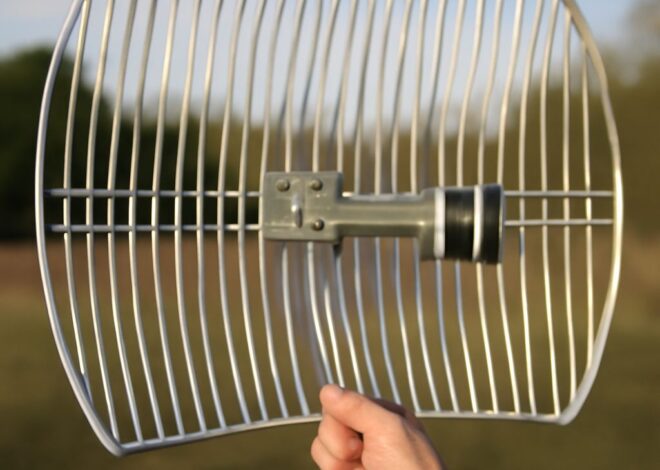
Parabolic antennas: Very high gain, very narrow beam. A wifi parabolic antenna achieves 20-30 dBi by reflecting all emitted energy into a tight beam. These are used for point-to-point links over hundreds of meters or kilometers, not for general room coverage.
Indoor WiFi Antenna: Improving Desktop and Laptop Reception
An indoor wifi antenna upgrade makes the most sense for desktop computers with internal wireless cards, where the stock antenna is a small internal stub with limited gain. External USB WiFi adapters with high-gain antennas or PCIe cards with external antenna ports both accept aftermarket antenna upgrades.
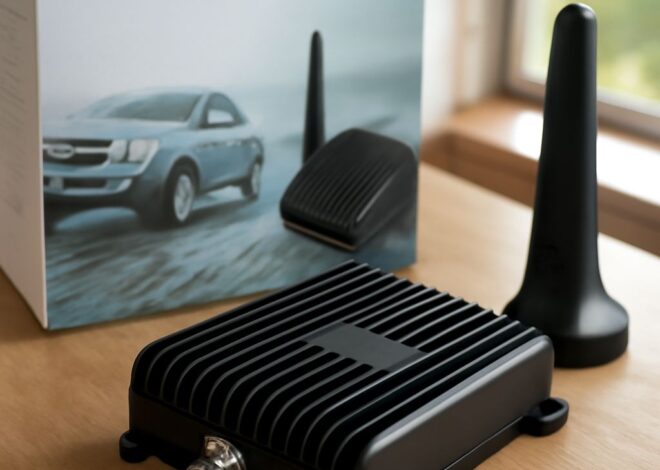
For a laptop wifi antenna booster, the options are more limited. Internal laptop antennas are integrated into the display lid and can’t be replaced without disassembly. The practical alternative is a USB WiFi adapter with an external high-gain antenna. Units from TP-Link (Archer T4U) and ASUS (USB-AC68) include folding directional antennas that improve both range and stability compared to internal laptop antennas in weak signal areas.
WiFi Parabolic Antenna: Long-Distance Applications
A wifi parabolic antenna serves point-to-point applications: connecting a barn to a house, linking two buildings across a campus, or providing internet access to a remote location within line of sight of a WiFi source. The narrow beam requires precise alignment between the transmit and receive units.
For 5GHz 802.11ac or 802.11ax bridging with a wifi parabolic antenna, throughput across distances of 500 meters to 2 kilometers is achievable with appropriate equipment. Ubiquiti’s airMAX and Mikrotik’s LHG series are popular choices for outdoor point-to-point 5GHz links with built-in parabolic reflectors.
Laptop WiFi Antenna Booster Options
For improving laptop WiFi performance specifically, the most practical options:
- USB WiFi adapter with high-gain antenna: Replaces the laptop’s internal wireless card from a connectivity standpoint. Plug in, install drivers, and connect through the USB adapter instead of the built-in card. Gain improvements of 6-12 dBi over typical laptop internal antennas are common.
- Positioning the laptop: Before buying hardware, try repositioning the laptop. Moving 5 feet in any direction can change 5GHz signal strength significantly due to multipath effects and obstacle geometry.
- Router antenna upgrade: If the weak signal affects multiple devices, upgrading the router’s antenna or adding an access point closer to the problem area addresses the root cause rather than compensating device by device.
Connect TV Antenna to WiFi Router: Understanding the Question
The question of how to connect tv antenna to wifi router comes from a misunderstanding of what these two technologies do. A TV antenna receives over-the-air broadcast signals in the VHF and UHF frequency bands. A WiFi router operates on 2.4GHz and 5GHz. These are completely different frequency ranges using different modulation and protocol standards.
A TV antenna cannot be connected to a WiFi router to provide internet service or to distribute television signals over WiFi. These systems are incompatible at the hardware and protocol level.
What is possible: a network tuner device (Tablo, HDHomeRun) connects a TV antenna to your home network and streams the over-the-air TV signal to devices on your WiFi network. This is the closest practical solution to “connecting” a TV antenna to a WiFi ecosystem.